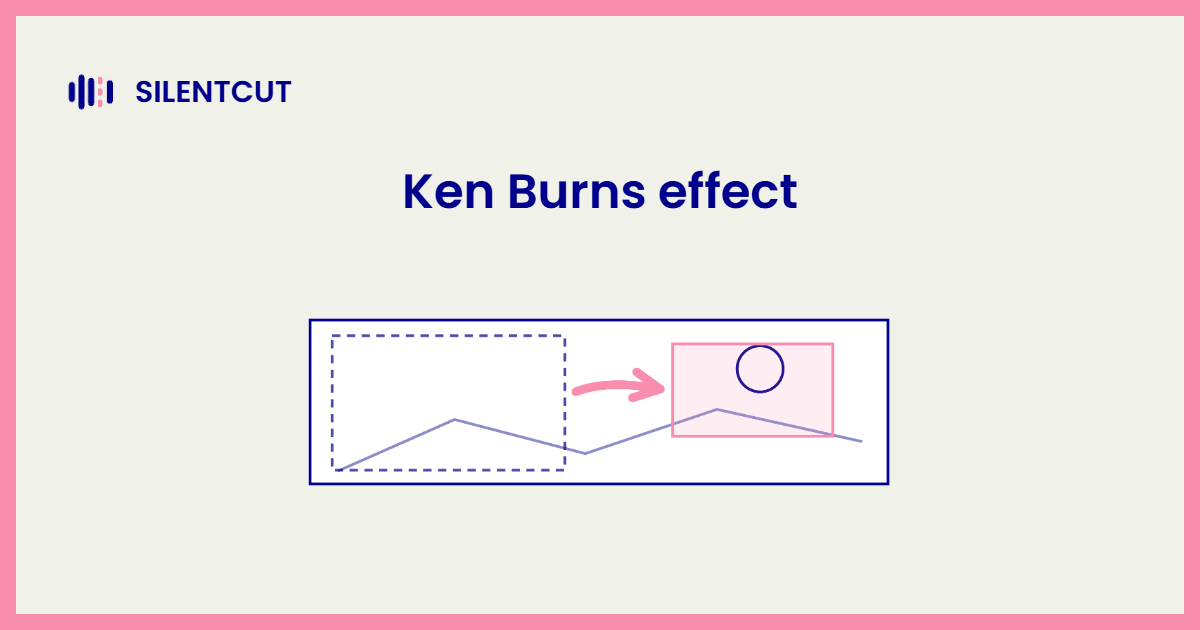
The Ken Burns effect is a slow pan and zoom across a still photograph, giving a motionless image the feel of a moving camera. That's the whole device. The frame starts wide, drifts, and lands tight on the detail that matters, or runs the same journey in reverse. The diagram shows the anatomy, one photo, a start framing, an end framing, and the camera's path between them.
Where the Ken Burns effect comes from
The effect is named after documentary filmmaker Ken Burns, who built films out of it. His PBS documentaries, The Civil War above all, animate archival photographs by letting the camera crawl across them, from a soldier's face to the letter in his hand, while narration carries the story. The technique existed before him, but he used it with such discipline and at such scale that his name stuck to it. Apple sealed the naming when it built the move into iMovie as the Ken Burns effect, one click, start framing, end framing, done. It's one of the few video editing terms named after a living editor.
How to make a Ken Burns effect
Two keyframes make the whole effect. A start framing and an end framing, with the software animating the move between them.
In iMovie the effect is built in and on by default for photos, you drag the start and end rectangles and it does the rest. In a real NLE you build it yourself with the Scale and Position properties, which is the identical recipe to a smooth zoom, two eased keyframes, spread across the clip's duration. The one technical constraint is resolution. The move crops into the image, so a photo needs to be comfortably larger than your frame or the end framing goes soft. Scans and modern photos have headroom to spare. A 1080p screenshot doesn't.
When to use it, and when to leave stills still
The Ken Burns effect earns its place when the motion directs attention, and wears out the moment it becomes wallpaper.
A drift toward a face as the narration mentions the person, a pull back that reveals how big the crowd was. Motion with a reason. The failure mode is applying it to every still by reflex, all drift and no direction, which reads as a slideshow trying to feel like a film. Vary the direction, keep the moves slow, and let some images just sit there. A held still after three moving ones has its own power.