The best CapCut alternative depends on which wall you actually hit. For most people it's one of two. The paywall, because the Pro tier keeps absorbing what used to be free. Or the lock-in, because CapCut projects stay in CapCut, with no handoff to another editor when your work outgrows it. Most lists of apps like CapCut hand you ten lookalikes with the same two walls painted different colors. This page takes the walls seriously instead.
Why people look for a CapCut alternative in 2026
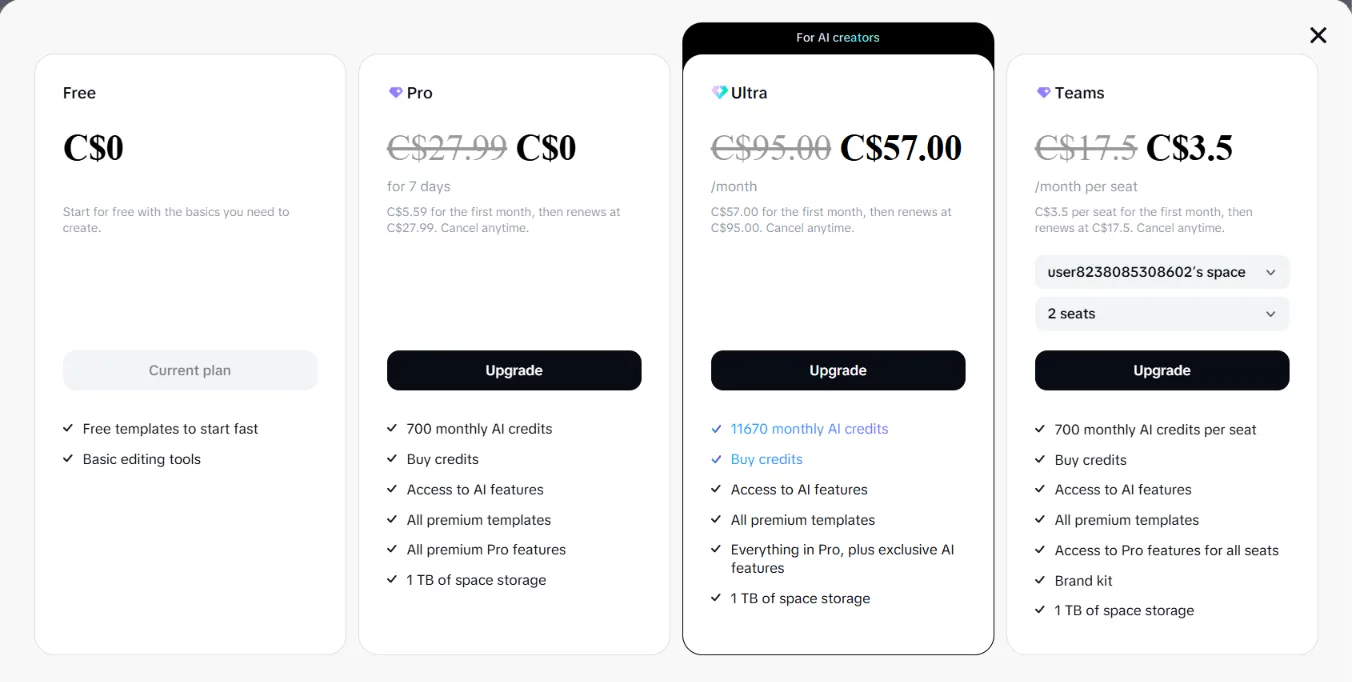
The pricing moved, and the exits are sealed. CapCut's restructure roughly doubled the top tier, to $19.99 a month for Pro against $9.99 for Standard, per CapCut's own pages, and longtime users describe watching free features migrate up the tiers. That alone sends people shopping.
The lock-in stings more. A CapCut project can't be handed to Premiere Pro, DaVinci Resolve or anything else. Every edit you make deepens the moat around your own work, which is fine right up until you land a client, a team, or an ambition that lives in a real NLE. If you're leaving, the earlier the better, because you can't take the projects with you.
What your workflow actually needs
Two different people search for apps like CapCut, and they need opposite things. The social-first creator needs what CapCut already does, captions, formats, speed, and for them the honest answer is that CapCut's free core is still hard to beat. The person actually outgrowing it is editing more talking content, longer content, or client content, and their real bottleneck isn't captions. It's the cleanup pass. Silence, filler words, the take you said four times. That pass is invisible inside CapCut because CapCut was never built for it.
CapCut vs SilentCut: the wall-free version of the job
SilentCut (silentcut.ai) is built around the pass CapCut ignores, without either wall. Silence Remover finds and cuts the dead air with the sensitivity under your control. Speech Cleanup takes out filler words, stutters and false starts. Best-Take Selector lines up your repeated takes and keeps the right one. Your Dead Air Ratio (DAR), the percentage of runtime that is silence, turns the invisible work into a number that drops.
And the lock-in wall simply isn't there. SilentCut Studio runs in the browser, while SilentCut for Premiere Pro and SilentCut for DaVinci Resolve land the cleaned cut on a real timeline you own. Faster cleanup means more edits shipped, and shipped edits are what get paid for.
| CapCut | SilentCut | |
|---|---|---|
| Built for | Social-first editing for everyone | The editor's cleanup pass |
| Your project | Stays inside CapCut | Lands on your own timeline |
| The paywall | Pro absorbs features over time | Plans with AI hours included |
| Where it runs | Its own apps | Browser, Premiere Pro, DaVinci Resolve |
If the cleanup pass is the wall you hit, it's the one to try.
Should you switch from CapCut
Match the decision to the wall.
- You hit the paywall but love the workflow. Check what CapCut actually costs first, because Standard at half the price covers most people who reflexively bought Pro.
- You hit the lock-in. Leave sooner rather than later, toward an editor whose projects you own. The cleanup that CapCut never automated is what SilentCut runs on those timelines.
- You're social-first and the free core still fits. Stay, honestly. CapCut remains the most editing per dollar for that job, and none of its walls will touch you until your ambitions grow.